
AI Christmas Desktop Wallpaper Prompts for Music Creators
Create an AI Christmas Desktop Wallpaper that keeps icons clear and puts your music brand in frame. Get 16:9, 16:10, and ultrawide prompts.
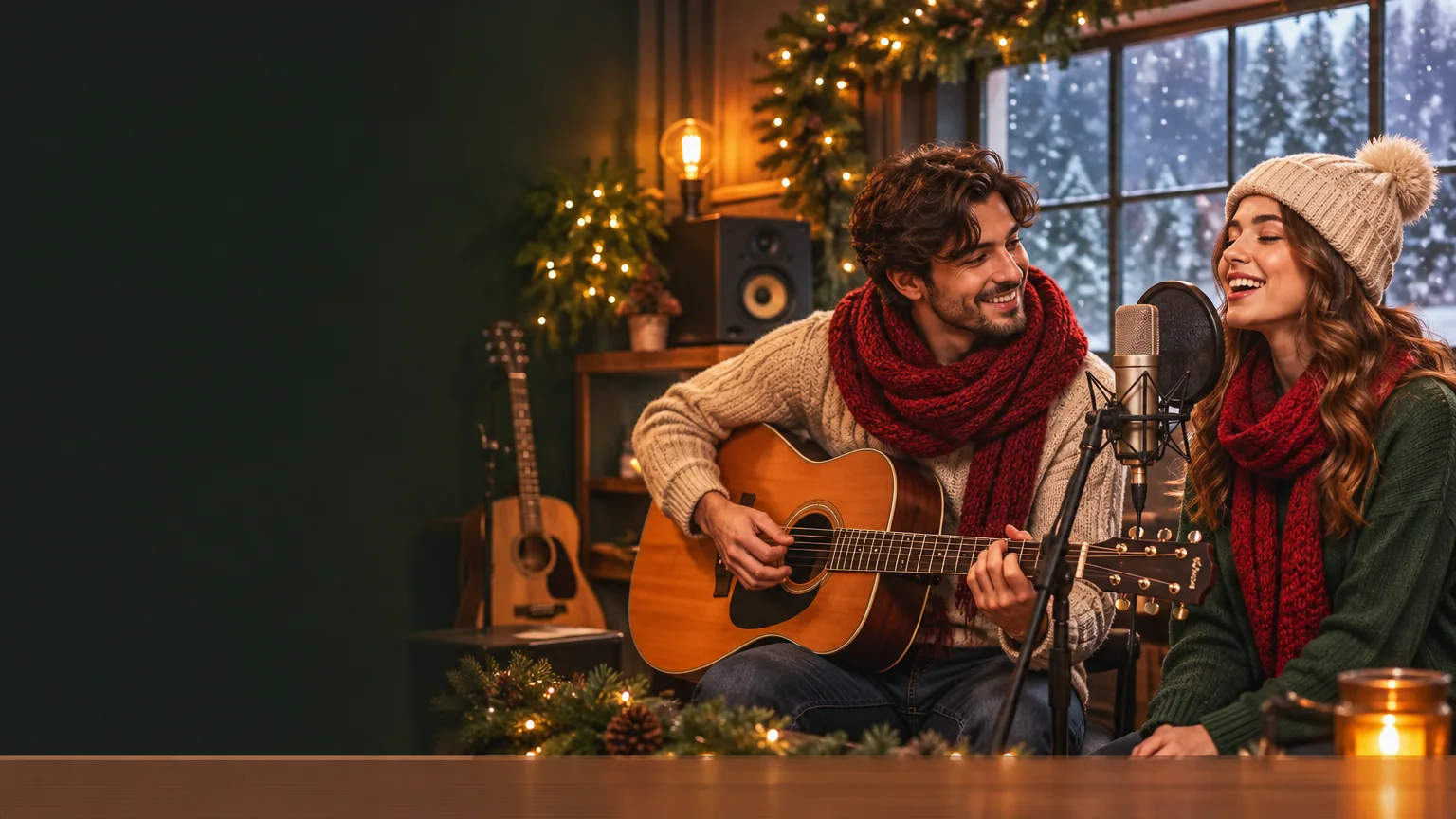
AI Christmas Desktop Wallpaper ideas work best when the festive scene leaves your desktop icons and taskbar clear while still feeling personal to your music project. Use the prompts below as starting points, choose a mood that fits your audience, and adapt the portrait and stage details to create a seasonal visual for your desktop or campaign.
What's new on this page
- 2026-11-25 — Page published. Added original Christmas desktop wallpaper prompts with screen-ratio and icon-space tips.
Plan the frame before you generate
A desktop wallpaper has to work around interface clutter, not just look good as a standalone image. Decide where your icons sit, where your taskbar or dock appears, and which part of the scene should catch the eye. Then describe those zones directly in your prompt.
- 16:9: A common widescreen shape. Try it for a standard landscape display; 1920 × 1080 is a familiar target size, not a promise about what any tool will output.
- 16:10: A little taller than 16:9. Consider it for displays that use this shape, and request more vertical breathing room above and below the subject.
- Ultrawide: Specify a wide panoramic composition, such as 21:9, if that matches your display. Keep key faces and props near the center rather than at the far edges.
- Resolution: Use the pixel dimensions of your display when the tool allows you to set output size. If not, choose the closest suitable aspect ratio and check the result for cropping or stretching before using it.
Tell the image generator which side should stay quiet. For example: “Keep the left third low-detail and dark for desktop icons; place the duo on the right.” Avoid putting a face, instrument, or important decoration where your dock will cover it. Keep visible text out of the image unless you specifically need lettering; generated lettering may not match your intended wording.
Cozy and nostalgic prompts
Use these for a personal studio desktop, a holiday greeting, or a warm backdrop for a small music business.
-
Window-side songwriting — “A cozy Christmas songwriting nook at blue hour, two original musician characters sharing a notebook beside a softly glowing window, subtle snowfall outside, warm amber lamp, pine garland and a small guitar; 16:9 landscape wallpaper, duo on the right half, left third calm and uncluttered for desktop icons, no text, no logos.”
-
Record-shop holiday — “An intimate independent record shop dressed for Christmas, original singer browsing a crate of festive records beneath a simple wreath, warm wood and muted red accents, cinematic but natural; 16:10 wallpaper with the person slightly right of center, open shadowed space on the left for icons, no readable lettering.”
-
Living-room acoustic set — “Two original friends playing a quiet acoustic holiday song beside a modest decorated tree, candid expressions, soft firelight, handmade ornaments, tasteful and uncommercial; 16:9, musicians in the right-center, lower edge kept visually simple for a taskbar, no text or logos.”
-
Snowy studio window — “A small home recording studio on Christmas Eve, one original vocalist looking out at falling snow while a microphone and headphones rest nearby, delicate string lights reflected in the glass; 16:10, subject on the right, left side low detail, clear lower margin for dock.”
Bright, playful stage energy
These prompts can inspire a seasonal artist announcement or a playful background for a creator’s workspace. Keep decorations secondary so the scene still feels like your music identity.
-
Candy-colored duet stage — “Two original rap performers in festive streetwear on a small holiday stage, colorful lights, paper snowflakes and a few wrapped gifts, confident friendly expressions, original character designs; 16:9, performers grouped on the right, left third dark and uncluttered for icons, no words or logos.”
-
Rooftop snow-globe scene — “An imaginative rooftop performance under gentle snowfall, original duo in winter coats with a city skyline and glowing holiday windows, playful cinematic lighting; ultrawide panoramic wallpaper, keep both faces within the central half, reserve the far-left area for icons, no text.”
-
Peppermint rehearsal room — “A cheerful rehearsal room with red-and-cream accents, original singer dancing beside a microphone stand, understated seasonal decorations and soft studio lighting; 16:10, subject right of center, clear dark space on the left and simple bottom edge for desktop controls.”
-
Miniature holiday concert — “A charming miniature concert stage built from paper and felt, original two-person music duo performing beneath tiny lights and a star, handcrafted textures, warm playful mood; 16:9, stage positioned right, uncluttered left third, no typography.”
Polished and cinematic prompts
For a business-facing desktop, aim for restrained seasonal details, a clear focal point, and enough negative space to keep the image useful throughout the workday.
-
Midnight blue portrait — “An elegant original music duo in tailored winter coats against a deep midnight-blue winter backdrop, fine snow, restrained silver lights and a subtle evergreen branch; 16:9, portraits on the right half, smooth dark negative space on the left for icons, no text or logos.”
-
Golden-hour performance — “An original vocalist on a quiet outdoor stage at winter sunset, amber light on the face, distant snow-covered evergreens, understated microphone and soft festive bokeh; 16:10, subject right of center, keep the lower strip simple for a taskbar.”
-
Panoramic winter city — “A cinematic ultrawide winter city scene with an original musician in a long coat near a softly lit rooftop performance setup, distant windows glowing like holiday lights, realistic atmospheric depth; musician near center-right, far-left third low detail, no lettering.”
-
Minimal evergreen studio — “A clean portrait of an original producer in a modern music workspace, one small evergreen arrangement, warm practical lights, muted forest green and cream palette, editorial photography; 16:9, person on the right, generous uncluttered space on the left, clear bottom edge.”
Dreamlike and atmospheric prompts
Choose these when your project’s visual identity is more imaginative than traditional. Describe the feeling and color palette, then protect the same practical empty zones.
-
Aurora carol session — “Two original musicians sharing a quiet winter performance beneath a soft green-and-violet aurora, snowy hills, a few warm lanterns, dreamy but grounded; ultrawide panorama, duo just right of center, left edge simple for icons, no text.”
-
Paper-cut snow forest — “A layered paper-cut winter forest with an original singer holding a small microphone among stylized trees and falling snow, handmade depth and gentle cream, cranberry, and pine colors; 16:10 wallpaper, character on the right, open left side, no lettering.”
-
Starlit recording booth — “An original vocalist in a glass recording booth, tiny star-like lights reflected in the glass and a faint winter landscape beyond, intimate, serene, cinematic; 16:9, face on the right third, left side dark and quiet, keep the bottom area free of key detail.”
Adapt a prompt for Music With Me
Music With Me is positioned around turning portraits or a photo together into an AI music video, so treat these wallpaper prompts as visual direction rather than assuming every wallpaper-specific control is available. Start with the portrait or photo you want to use, then carry over the prompt’s mood, setting, colors, and placement notes wherever the tool gives you room to guide the result. Keep the image’s focal subject recognizable and avoid asking for a crowded scene if your source photo is a close portrait.
For seasonal visual ideas that can extend beyond a desktop, explore AI video tools for music-centered creations. If you want to plan a holiday scene around two portraits, the hotel-lobby video concept offers another setting to consider. Keep your wallpaper prompt focused on a still composition; use the site’s video tools when you want motion and a music-video treatment.
Before setting the image as your background, check it at your actual display shape. If the subject is cut off, revise the prompt to move the person inward and add more empty space on the side where icons appear. If the image looks stretched, regenerate or crop to the display’s aspect ratio rather than forcing it to fill.
FAQ
What aspect ratio should I use for desktop wallpaper?
Match the ratio of your display when possible. Use 16:9, 16:10, or an ultrawide ratio such as 21:9 only when it matches your screen; otherwise, the image may crop or leave unused space.
How do I keep icons from covering the subject?
Tell the prompt which side holds your icons and ask for that area to remain low-detail. Place faces and important props away from the icon field, taskbar, or dock.
Can I use these prompts with a portrait?
Yes. Adapt the wording to the source image: describe one subject for a single portrait or two subjects for a photo together. Keep the requested scene simple enough to preserve the people’s visual prominence.
How can I turn a wallpaper idea into a seasonal music greeting?
Carry the same mood, wardrobe, and setting into a video concept, then use a portrait or photo together as your starting point. For a holiday visual that moves, explore Music With Me’s AI video tools.