
GPT Image 2.6 vs 2.5: A Paper-Boat Release Artwork Brief
GPT Image 2.6 vs 2.5 for release artwork: plan a blue paper-boat motif across a square cover, wide header and avatar, with three prompts and a practical review card.
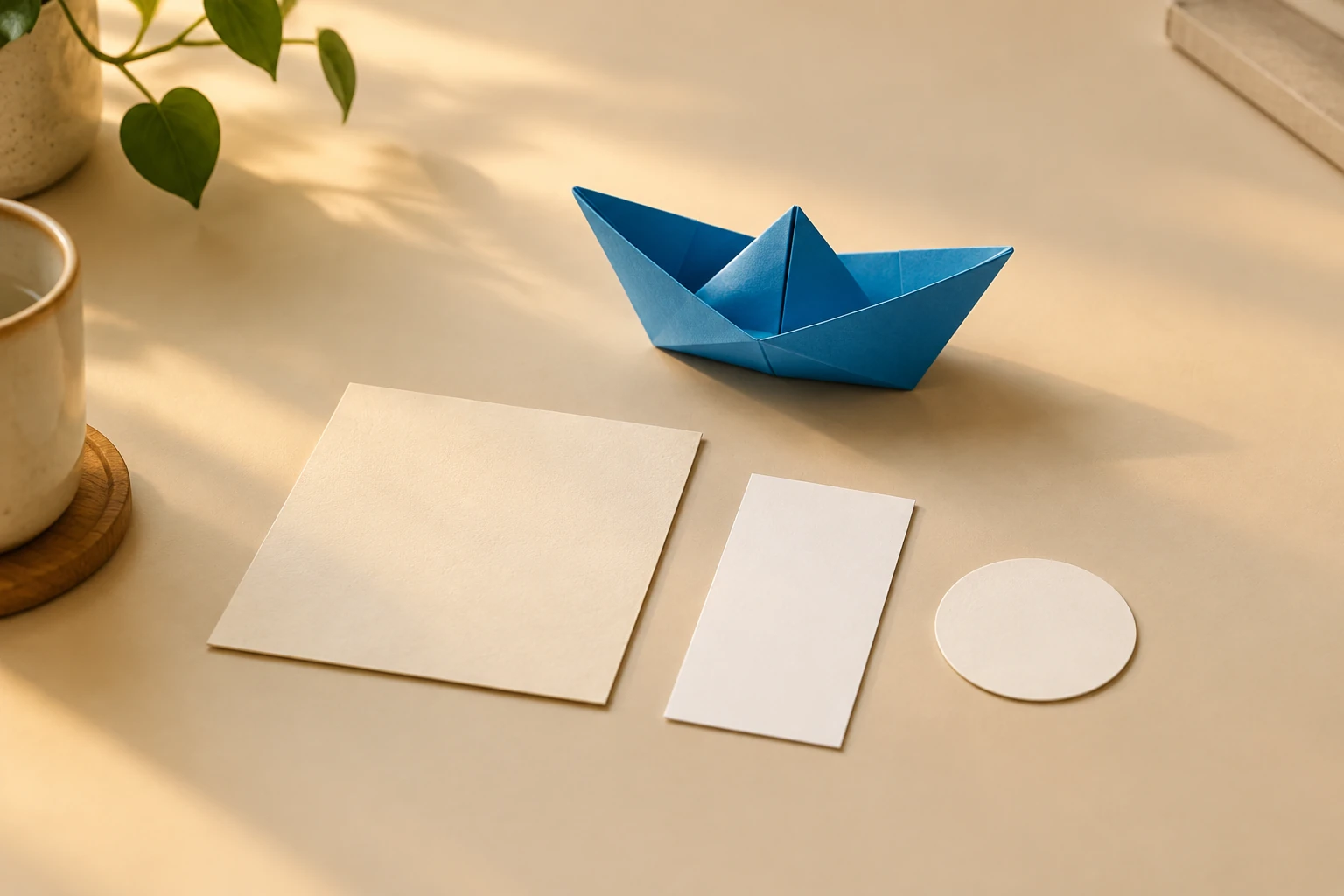
For GPT Image 2.6 vs 2.5 release artwork, compare how well a visual motif survives a change of format. A shared brief gives the Sunburst and Flare candidates the same anchors while allowing a square cover, wide header and small avatar to do different jobs. The paper-boat sketches below are a proposed visual system, ready to adapt to your available tools.
What's new on this page
- 2026-11-14 — Page published. Added a blue paper-boat artwork system, three format-specific prompts and an anchor review card.
For GPT Image 2.6 vs 2.5, the useful question is how to test a visual system without mistaking a change of format—or a different prompt—for a model improvement. Below is an original, proposed worksheet for one blue paper boat across a square cover, wide header and small avatar. The prompts are sketches to run, not recorded outputs.
OpenAI announced 2.6 on November 4, 2026, positioning Flare for fast iteration and Sunburst for medium- or high-quality detail and continuity. Those are provider descriptions, not our benchmarks or a guarantee of speed, quality or Music With Me service levels. (Announcement)
GPT Image 2.6 vs 2.5: Compare a release set
Treat the three images as a small visual family, not three unrelated generations. Their jobs differ: the cover introduces the motif, the header gives it room, and the avatar must remain legible when displayed small. A consistent set does not require identical crops. It requires recognizable anchors, while allowing deliberate changes in framing and supporting space.
Before generating, make a one-line record of the tool, model name, prompt, reference images, available settings and output dimensions used for each attempt. Keep those fixed when comparing candidates, except for the single variable you mean to test. If a control is not exposed in the tool you are using, record it as unknown rather than assuming its value.
The four public model names in this comparison are GPT Image 2.5 Flare, GPT Image 2.5 Sunburst, GPT Image 2.6 Flare and GPT Image 2.6 Sunburst. OpenAI’s API documentation lists the same standard token rates for these four models, but matching rates do not guarantee the same cost per accepted image: token use, caching, retries and an intermediary’s credit system matter. API rates are not site-credit prices. Check Music With Me’s live pricing for current site terms; do not assume 2.5 Batch pricing applies to 2.6. (2.5 Flare · 2.6 Flare)
Define the paper-boat anchors
Write down the features that must survive every crop:
- Motif: one folded blue paper boat, with visible paper creases; no second boat or boat-like decoration.
- Palette: blue boat, warm cream surroundings, restrained amber light. Keep the blue as the strongest color accent.
- Light and finish: soft side light, tactile paper, calm editorial still-life treatment—not glossy 3D styling.
- Exclusions: no lettering, logos, watermarks, extra boats or decorative collage.
- Composition rule: protect the boat’s silhouette. Leave format-specific breathing room rather than forcing every layout into the same crop.
If you use a reference image, log the exact image and its role. A reference can help define the motif, but don’t assume every tool or site entry point accepts the same inputs or controls.
Three independently useful prompt sketches
Use each sketch on its own, adapting dimensions to the destination and to the options actually available in your chosen tool. Keep the anchor description unchanged when comparing model variants.
1. Square cover: establish the motif
“Square release-cover artwork, one small folded blue paper boat resting on a warm cream paper surface. Soft amber side light reveals the folds and makes a gentle shadow. Calm, tactile editorial still life; the boat is the sole focal object, with clear breathing room around it. Preserve a simple, unmistakable boat silhouette. No text, lettering, logos, watermark, extra objects or collage.”
2. Wide header: allow more negative space
“Wide horizontal release header in the same visual family: one folded blue paper boat on a warm cream surface, soft amber side light, visible paper creases, restrained editorial still-life finish. Place the boat toward one side and leave broad, quiet cream space across the other side for later layout. Maintain the same blue, cream and amber palette and the same boat design. No text, lettering, logos, watermark, extra boats or collage.”
3. Small avatar: prioritize recognition
“Compact square avatar artwork built around one clearly readable folded blue paper boat against warm cream. Use a close, simple composition, distinct boat silhouette, visible essential folds and soft amber side light. Minimize small surface details that may disappear when reduced; keep the boat as the only focal object. Match the release set’s blue and cream palette. No text, lettering, logos, watermark, extra objects or collage.”
State which differences are intentional
Keep constant: the boat’s blue color, folded-paper identity, cream setting, amber light, restrained finish and exclusion rules. Change on purpose: aspect ratio, boat placement, negative space and how tightly the avatar frames the boat. Don’t call a layout failure a model difference if the prompt or crop changed too.
For a fair comparison, run the same prompt and same reference inputs across the four model names, using the same available settings. Then review the three formats as a set. This is a proposed test plan, not a report of generations or results. OpenAI’s API guide describes complexity and markup-guided editing, among other capabilities; that documentation does not establish that those controls are available in a Music With Me interface. (Image generation guide)
Anchor-versus-change review card
| Check | Anchor to preserve | Intentional change to accept | Note |
|---|---|---|---|
| Boat identity | One folded blue paper boat | Size and placement by format | Does it read as the same motif? |
| Palette and light | Blue, cream, soft amber | Shadow shape may shift with composition | Is the color family still coherent? |
| Layout | Clean, quiet editorial scene | Cover centered; header offset; avatar tighter | Does each format do its own job? |
| Exclusions | No type, logos, watermark or extra boats | None | Flag any violation for the editor. |
Handoff checklist for a separate final editor
- Label each candidate with its model, prompt, reference and available settings; mark unexposed controls unknown.
- Choose a coherent set, not three isolated favorites. Review the avatar at the actual small display size.
- Check crops and leave any final typography or release details to the separate editor; the prompts deliberately request no text.
- Record which differences are intentional and which need another attempt. Don’t infer a winner from one generation.
- For a portrait-and-background artwork direction, explore the double-exposure guide.
Music With Me brings photos, a duo, a stage and a personal message into a separate performance-video workflow. Keep the finished artwork files and the performance plan organized as distinct release assets. For more creative planning ideas, visit the blog.