
Window Reaction Scene: Plan the Pause Before the Punchline
Plan the silent action and pause in a window reaction scene before choosing a caption or adding audio in an appropriate editor.
What's new on this page
- 2026-10-29 — Page published. Clarified the guide’s search focus, added a practical FAQ and replaced the embedded video with an image.
A window reaction scene can communicate its joke without sound when the setup, recognition and pause are clear. Build the visual timing first, then consider how a caption or audio could support the same beat.
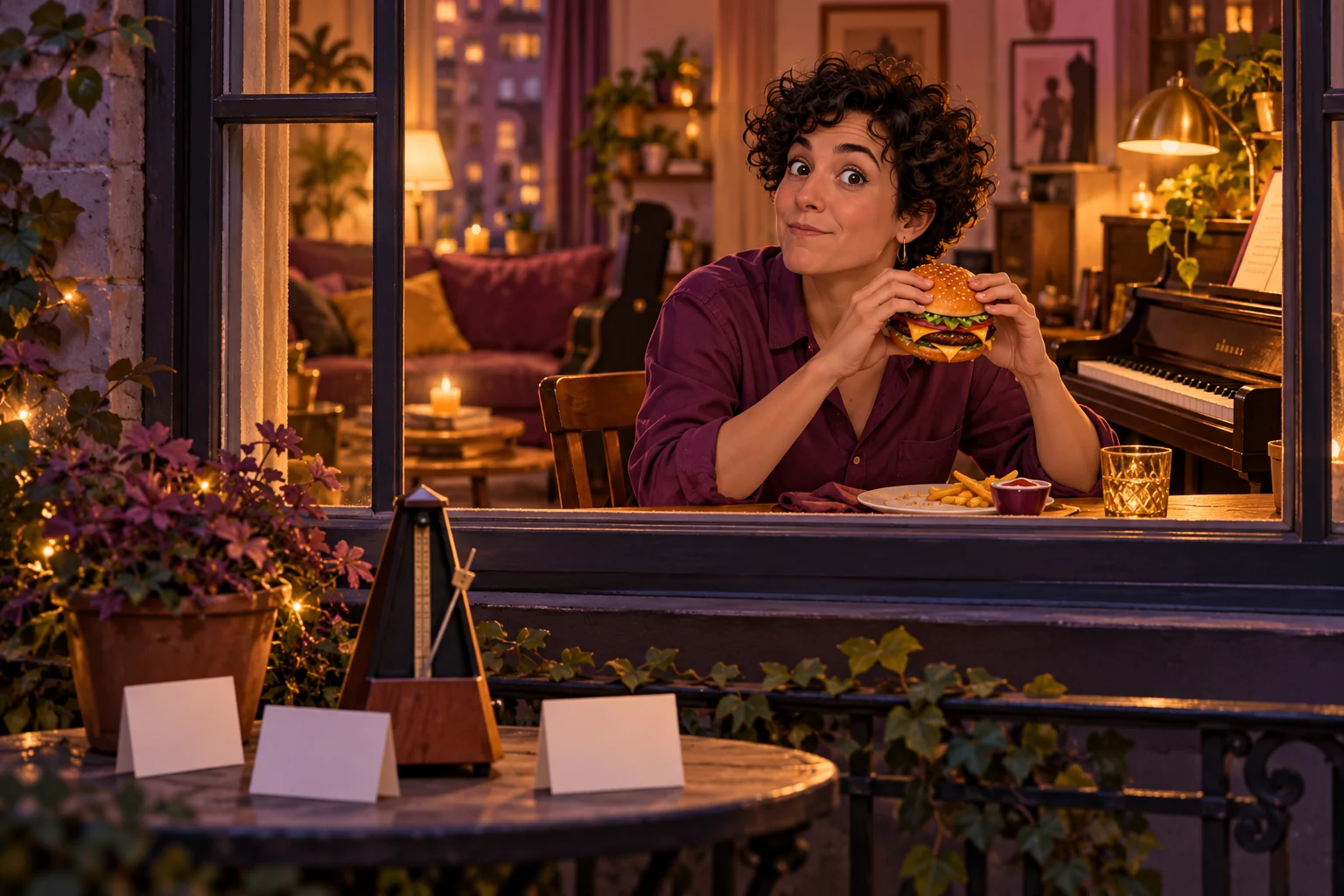
The useful lesson in window reaction is the pause. A person eating behind a window notices the viewer, says nothing, and makes the silence awkward before ending the encounter. You can study that timing without choosing a song or assuming that an AI video will synchronize itself to a particular beat.
This article gives you an original reaction-timing exercise, caption ideas and a review card for a short performance clip. It is a planning exercise rather than a measured model test. Music With Me's available performance tools have their own inputs and scenes; this guide does not claim that its existing music-video workflow contains a dedicated window-meme preset.
Window reaction scene: start with a silent version of the joke
Describe the scene without mentioning music. For example: a fictional musician has finally stopped rehearsing and sits down with a burger. Someone appears to be watching through the apartment window. The musician notices, holds the look, then closes the curtain and returns to dinner.
Three questions make the sequence specific. What was the person doing before noticing the viewer? What small movement shows recognition? What action clearly ends the encounter? If those answers are visible, a soundtrack can support the scene. If they are missing, a louder track is unlikely to explain the action.
Use the performance brief to plan the reaction and review the pause. Before requesting a video, check the selected workflow's actual inputs, output settings and available controls.
Use a pause card instead of a fixed tempo
Write the following card before you generate or edit a clip. The labels describe the performance; they are not timestamps that a model is guaranteed to follow.
-
Moment: Before noticing; Performer direction: Stay occupied with the ordinary activity; Viewer should understand: The person was not performing for the camera
-
Moment: Recognition; Performer direction: Move the eyes before making a large body movement; Viewer should understand: The person has noticed the viewer
-
Moment: Hold; Performer direction: Keep one readable expression and reduce extra action; Viewer should understand: The awkwardness is intentional
-
Moment: Release; Performer direction: Close the curtain or otherwise finish the scene; Viewer should understand: The encounter has ended
Read the card aloud, then imagine the clip with no sound. If two beats feel like the same event, simplify one. Recognition and the hold can be subtle, but the viewer needs enough time to notice the change between them.
Give the performer one clear attitude
Choose a single emotional direction. “Mildly annoyed but composed” is more coherent than asking for surprise, anger, delight and embarrassment at once. A small expression can carry a short reaction scene, especially when the surrounding activity is ordinary.
Here are three original suggested directions:
-
The rehearsal break: “The performer notices the camera halfway through a quiet snack, holds a patient stare, then ends the interruption.”
-
The last bite: “The performer looks up as if deciding whether to share, keeps the burger close, and calmly closes the scene.”
-
The serious artist: “The performer treats an everyday interruption with excessive dignity; keep the expression restrained and the action simple.”
These are writing materials, not recorded test results. Adapt them to the scene and inputs the chosen tool actually supports. A performance generator with a stage setting should receive a stage-appropriate version, rather than being described as a window effect it does not offer.
Add audio after the visual structure makes sense
Listen to a candidate soundtrack separately, then watch the clip silently again. Decide whether the audio supports the recognition, the hold or the release. You do not have to accent every small movement. One clear change can be easier to read than a sequence of competing effects.
If you edit audio onto a finished clip, inspect the actual timeline in your editor. Do not assume that the length of a generated clip matches the section of music you selected. Trim or place the audio according to the exported file and the editing tools you use.
Use audio you are allowed to publish, and review the destination's current options. This guide does not supply the original trend soundtrack or establish that it is included in another generator's output. Use the written timing notes to plan the exercise without a specific song.
Let the caption set up the ordinary situation
A caption works best when it gives context without narrating every visible movement. Try one of these original examples with a scene that actually matches it:
-
“The rehearsal break was supposed to be private.”
-
“One quiet meal before the next take.”
-
“The encore can wait until after dinner.”
Place your chosen wording in the publishing editor after reviewing the clip. Keep it away from the eyes and the gesture that ends the scene. If the caption needs a paragraph to explain why the person is reacting, revisit the visual setup first.
Review the clip as a performance
Watch once at normal speed. Does the reaction read without pausing? Then inspect whether the identity, clothing and props stay coherent during the hold. A frozen-looking face may make the pause feel accidental; too much unrelated motion can remove the pause entirely.
For a different photo-based performance idea, explore the available video effects and read the controls of the effect you select. The main Music With Me workflow offers another starting point for its current music-video experience. Check the live quote and purchase options before submitting a new generation.
Keep the pause card with the saved clip. It gives you a simple editorial question for the next version: did the viewer understand the interruption, the look and the ending? That is more useful than treating a familiar meme name as a complete performance direction.
Frequently asked questions
Should a window reaction scene depend on audio to make sense?
Review the action without sound first. If the setup and reaction are unclear, revise those visual beats before deciding whether audio or a caption adds anything useful.